

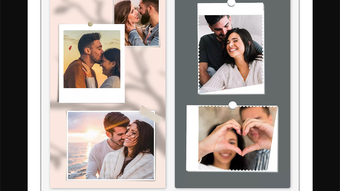
Description
Download 1SStory Story Templates – story templates, Instagram stories, iPhone app, social media marketing, story maker, template library, creative design, customizable stories, digital marketing, mobile storytelling
Overview
1SStory: Story Templates is a mobile application designed for iPhone users who want to create visually engaging content for Instagram stories. The app serves as a dedicated story maker tool, enabling users to produce professional-quality stories without requiring advanced design skills. It addresses the growing need for quick, high-impact visual content in social media marketing, particularly for individuals and businesses aiming to boost engagement on Instagram. The software is tailored for a broad audience, including content creators, small business owners, digital marketing professionals, and casual users seeking to enhance their social media presence.
With access to over 5,000 story templates, the app provides a vast library of pre-designed layouts across 100+ categories. This allows users to quickly find and adapt templates to suit specific themes, campaigns, or branding needs. Real-world usage scenarios include promoting products, sharing daily updates, running contests, or building brand awareness through consistent visual storytelling. The developer, 1SStory, has focused on streamlining the creative process by offering intuitive tools for customization, ensuring that users can produce polished content efficiently. The app is available for free download on the App Store, making it accessible to a wide range of users.
Key Features & Capabilities
- Extensive Template Library: Over 5,000 customizable story templates across 100+ categories, enabling rapid content creation for diverse themes and purposes.
- Advanced Customization Tools: Users can edit backgrounds, stickers, fonts, and layer elements to match their brand or personal style.
- Search and Filter Functionality: Built-in search allows users to quickly locate templates by keyword or category, improving workflow efficiency.
- Multi-Layer Editing: Supports multiple layers for complex compositions, allowing for greater design flexibility and depth.
- Undo/Redo and Autosave: Ensures a smooth editing experience with the ability to revert changes and automatically preserve work.
- Re-editing and Storage: Previously created stories can be re-opened and modified, and users can save their creations to the device’s storage for later use.
- Direct Social Sharing: Completed stories can be shared directly to Instagram and other supported platforms with minimal steps.
These features collectively support a streamlined content creation process. For example, a small business owner can search for “product launch” templates, customize colors and text, and publish a story within minutes. Similarly, a digital marketer can maintain brand consistency by reusing and adjusting templates across multiple campaigns. The combination of ready-to-use designs and flexible editing tools makes 1SStory a practical solution for users seeking to maintain a consistent and visually appealing social media presence.
User Interface, Workflow & Performance
The app features a user-friendly interface designed for ease of navigation on iPhone devices. The layout prioritizes accessibility, placing key tools and functions within intuitive reach. Users can browse templates through a categorized grid or use the search bar to locate specific designs quickly. Navigation is smooth, with minimal lag during transitions between screens.
Workflow efficiency is enhanced by the app’s logical structure, where editing tools are grouped by function—such as text, image, and layer management—reducing the need for excessive menu diving. The inclusion of undo/redo and autosave features contributes to a stable editing experience, minimizing the risk of data loss. The developer did not specify resource usage details, so exact performance behavior, such as CPU or RAM consumption, remains unclear. However, based on general software behavior patterns, the app is expected to operate efficiently on modern iPhone hardware. Stability appears to be a priority, as the ability to re-edit saved stories suggests a robust data management system.
Compatibility & System Requirements
1SStory: Story Templates is designed exclusively for iPhone devices. The software is compatible with iOS versions supported by the App Store at the time of release. The app has a file size of 128 MB, which is typical for feature-rich mobile applications with a large media library. The developer did not provide additional system requirements, such as minimum RAM or processor specifications. Compatibility information is limited to the iOS platform, and no support for other operating systems, such as Android or desktop environments, is indicated. Installation is handled through the App Store, ensuring secure distribution and automatic updates.
Pros and Cons
Pros
- Large library of over 5,000 customizable story templates across diverse categories
- Intuitive, user-friendly interface suitable for non-designers
- Advanced editing features including multi-layer support and undo/redo
- Efficient search and organization system for quick template discovery
- Supports re-editing and local storage of created stories
- Free to download and use, with no upfront cost
- Direct sharing to Instagram and other social platforms
Cons
- Available only on iPhone; no support for Android or desktop platforms
- Exact system requirements and performance data were not specified
- May require significant storage space due to the large template library
- Limited to iOS ecosystem, which may restrict cross-device workflow
- No information provided on cloud backup or synchronization features
FAQ Section
Is 1SStory: Story Templates available for Android?
Currently, the app is only available for iPhone users. There is no official version for Android devices.
Is the app free to use?
Yes, 1SStory: Story Templates is available for free download on the App Store. No payment is required to access the core features.
Can I use the app offline?
Yes, once downloaded, the app can be used without an internet connection. However, some features like updates or cloud sync may require connectivity.
Does the app support saving stories to my device?
Yes, users can save their completed stories to the device’s storage, including the SD card if supported by the iPhone model.
Are the templates customizable?
Yes, all templates can be edited. Users can change fonts, colors, backgrounds, stickers, and add their own creative elements.
Final Thoughts
1SStory: Story Templates stands out as a powerful, accessible tool for creating high-quality Instagram stories on iPhone. Its extensive library of over 5,000 templates, combined with intuitive editing features and a streamlined workflow, makes it ideal for users with varying levels of design experience. Whether you're a business owner aiming to grow your social media presence or a content creator looking to produce consistent, engaging stories, this app delivers practical value. The free pricing model enhances its appeal, removing financial barriers to entry. While platform limitations exist—being exclusive to iPhone—its strengths in customization, usability, and content variety make it a compelling choice for mobile storytelling.
Download 1SStory Story Templates now
Guides & Tutorials for 1SStory Story Templates
How to install 1SStory Story Templates
- Click the Preview / Download button above.
- Once redirected, accept the terms and click Install.
- Wait for the 1SStory Story Templates download to finish on your device.
How to use 1SStory Story Templates
This software is primarily used for its core features described above. Open the app after installation to explore its capabilities.
User Reviews for 1SStory Story Templates 0
No reviews found





